
Business Laptop vs Gaming Laptop
Oct
Business Laptop vs Gaming Laptop: Which Should You Buy?
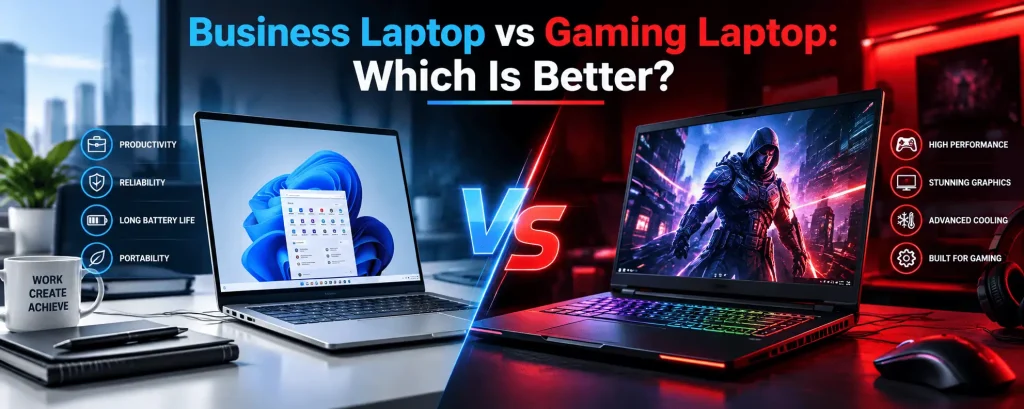
Business laptops and gaming laptops can both deliver powerful performance, but they are designed around different priorities.
A gaming laptop typically focuses on graphics performance, sustained processing power, high-refresh-rate displays and cooling.
A business laptop usually places greater emphasis on portability, battery efficiency, professional design, reliability, connectivity and everyday productivity.
But the choice is not always obvious.
A video editor who never plays games may still benefit from gaming-class hardware. A university student may need performance but prefer the battery life and portability of a business laptop. A programmer may care more about CPU performance, RAM and keyboard comfort than dedicated graphics.
The right choice depends on your workload, not the label on the laptop.
This guide compares business laptops vs gaming laptops to help students, professionals, creators and everyday users choose the right laptop in Lebanon.
Business Laptop vs Gaming Laptop: Quick Answer
Choose a gaming laptop if your workload depends heavily on graphics performance, sustained processing power or applications that benefit from a dedicated GPU.
Gaming laptops are particularly suitable for gaming, video editing, 3D work and other demanding creative workloads when configured appropriately.
Choose a business laptop if portability, battery efficiency, professional design, keyboard comfort and productivity are more important than maximum graphics performance.
For office work, university, business applications, browsing, meetings and everyday productivity, a business laptop is often the more balanced choice.
The best laptop is the one whose CPU, GPU, RAM, storage, display and overall design match what you actually do.
What Is a Gaming Laptop?
A gaming laptop is a portable computer designed to handle demanding games and sustained high-performance workloads.
Gaming laptops commonly emphasize:
Dedicated graphics
Powerful processors
High-refresh-rate displays
Performance-focused cooling
Higher power limits
Fast SSD storage
Expandable memory or storage on some models
Gaming-oriented keyboards and designs
Their hardware can also make them useful outside gaming.
Applications involving video editing, 3D graphics and other GPU-intensive workloads may benefit from the same components originally included for gaming.
This is why a gaming laptop should not be considered useful only for gamers.
What Is a Business Laptop?
A business laptop is generally designed around professional productivity and mobility.
Depending on the model, priorities may include:
Portability
Battery efficiency
Professional design
Reliability
Security features
Comfortable keyboards
Connectivity
Docking capabilities
Durable construction
Manageability
Business laptops can still be powerful.
Many professional models include capable modern processors, fast SSDs and substantial RAM.
The major difference is where the manufacturer chooses to focus the overall design.
Business Laptop vs Gaming Laptop: Key Differences
The difference between a business laptop and a gaming laptop goes beyond appearance.
Gaming Laptop
Primary focus: Performance and gaming.
Graphics: Dedicated GPUs are common.
Display: High refresh rates are common.
Cooling: Designed for demanding sustained workloads.
Weight: Often heavier, depending on the model.
Battery priorities: Performance can take priority over maximum endurance.
Design: Can range from subtle to gaming-oriented.
Best suited for: Gaming, video editing, 3D work and GPU-intensive applications.
Business Laptop
Primary focus: Productivity and professional use.
Graphics: Integrated graphics are common, although some models offer dedicated graphics.
Display: Productivity-focused displays are common.
Cooling: Designed around the performance requirements of the specific system.
Weight: Portable options are widely available.
Battery priorities: Efficiency and mobility are often important.
Design: Usually understated and professional.
Best suited for: Office work, business, university, meetings and mobile productivity.
These are general tendencies rather than strict rules.
Always compare the exact laptop.
Performance: Which Is More Powerful?
Gaming laptops often provide higher performance configurations because modern games can require powerful CPUs and GPUs.
However, that does not mean every gaming laptop is faster than every business laptop.
Laptop performance depends on the exact:
CPU
GPU
RAM
Storage
Cooling
Power configuration
Software workload
A high-end business laptop may outperform an entry-level gaming laptop in some processor-based productivity tasks.
Likewise, a gaming laptop with a dedicated GPU can have a major advantage in applications that rely heavily on graphics acceleration.
Compare hardware rather than categories alone.
GPU: Do You Need Dedicated Graphics?
One of the biggest differences between many business and gaming laptops is the GPU.
Gaming laptops commonly include dedicated graphics because games require substantial graphics processing.
A dedicated GPU can also benefit certain professional applications involving:
Video editing
3D modeling
3D rendering
Animation
Visual effects
GPU-accelerated creative applications
Some engineering workflows
AI-related workloads, depending on the software
However, dedicated graphics are not necessary for everyone.
For documents, email, browsing, presentations, accounting software and many everyday business tasks, modern integrated graphics may be sufficient.
Do not pay for a powerful GPU unless your workload can actually use it.
CPU: Business Laptop vs Gaming Laptop
Both categories can include powerful processors.
Gaming laptops may use performance-focused CPUs designed to support demanding games and sustained workloads.
Business laptops can range from efficient processors designed for portability to powerful CPUs for professional applications.
The right processor depends on what you do.
For everyday office work, you may not need the highest-performance CPU available.
For software development, heavy multitasking, video editing, simulation or other demanding workloads, processor performance becomes more important.
Always compare the exact processor rather than relying only on labels such as business or gaming.
RAM: How Much Memory Do You Need?
RAM affects how comfortably a laptop can handle applications and multitasking.
For lighter productivity, the requirements may be relatively modest.
More memory becomes useful when working with:
Many browser tabs
Large spreadsheets
Development environments
Virtual machines
Creative applications
Video editing
Large design files
Multiple professional applications simultaneously
16GB can be a practical configuration for many modern users.
32GB may be more appropriate for demanding professional workflows, heavy multitasking or users who want additional memory headroom.
Always check whether the RAM can be upgraded because upgradeability varies significantly between laptops.
SSD Storage: Business vs Gaming
Both business and gaming laptops benefit from fast SSD storage.
The main difference is often how much storage the user needs.
Games can consume significant amounts of space, making larger SSDs useful for gaming laptops.
Professional users can also require substantial storage when working with:
Video footage
Photography
Design projects
Large datasets
Virtual machines
Development environments
Business documents themselves may require far less space.
Before buying, consider both current storage requirements and whether the laptop allows additional storage later.
Display: High Refresh Rate vs Productivity
Gaming laptops frequently emphasize refresh rate because smoother motion can be valuable for fast-paced games.
Business users may care more about:
Brightness
Resolution
Text clarity
Color quality
Screen size
Battery efficiency
Outdoor visibility
Aspect ratio
Creative professionals have another set of priorities.
Photographers, designers and video editors should evaluate display quality and color performance rather than assuming a gaming display is automatically suitable for professional creative work.
A high refresh rate does not automatically mean better color accuracy.
Choose the display for the work you actually perform.
Battery Life: Which Is Better?
Business laptops often have an advantage when battery efficiency is a major design priority.
Gaming laptops contain powerful hardware that can consume significantly more power under demanding workloads.
This does not mean every business laptop has excellent battery life or every gaming laptop has poor battery life.
Battery performance varies according to:
Battery capacity
Processor
GPU
Display
Power settings
Workload
Laptop design
For students and professionals who spend long periods away from a charger, real-world battery performance should be an important part of the buying decision.
Portability and Weight
A laptop is portable by definition, but there can be a major difference between carrying a lightweight business laptop and a larger gaming machine every day.
Gaming laptops may require:
Larger cooling systems
Larger power adapters
More powerful hardware
Larger chassis
Business laptops can often prioritize thinner and lighter designs.
If your laptop moves between home, university, meetings and the office every day, weight matters more than it may appear on a specification sheet.
Do not compare only the laptop weight.
Consider the charger and accessories you will carry with it.
Cooling and Fan Noise
Gaming laptops are designed to handle demanding workloads that can generate significant heat.
They therefore commonly include more substantial cooling systems.
During gaming or heavy workloads, fans may become clearly audible.
Business laptops are often optimized for a different balance between performance, temperature and noise.
For office environments, meetings and classrooms, acoustic comfort may matter.
For gaming or rendering, sustained performance may be more important.
Again, the correct choice depends on where and how you use the machine.
Keyboard and Everyday Comfort
Keyboard quality is easy to overlook when comparing processors and graphics cards.
But if you type for several hours every day, it becomes one of the most important parts of the laptop.
Business users, programmers, writers and students should consider:
Keyboard layout
Key travel
Typing comfort
Trackpad quality
Palm-rest space
Backlighting
Gaming users may instead prioritize features such as fast key response, gaming layouts and customizable lighting depending on the model.
Neither approach is universally better.
Choose based on how you interact with the laptop every day.
Ports and Connectivity
Both business and gaming users can require extensive connectivity.
A business setup may include:
External monitors
Docking stations
Ethernet
USB accessories
Presentation equipment
External storage
Headsets
A gaming or creator setup may include:
Gaming mouse
External keyboard
Gaming headset
External monitor
Microphone
Capture card
Controller
External SSD
Streaming equipment
Before buying, check whether the laptop provides the ports required by your actual setup.
Adapters can solve some problems, but having the correct ports directly on the laptop can make everyday use easier.
Business Laptop vs Gaming Laptop for Students
Students should consider more than performance.
Think about what you will carry to university every day.
For students primarily working with:
Microsoft Office
Documents
Research
Web browsing
Presentations
Online classes
General productivity
A business or productivity laptop may provide a better balance of portability, battery life and performance.
A gaming laptop may make more sense for students who also need:
Gaming
Video editing
3D applications
Engineering software
Creative applications
GPU-intensive workloads
The best student laptop depends heavily on the university program and software requirements.
Business Laptop vs Gaming Laptop for Programming
Programmers do not automatically need gaming laptops.
For many development workflows, important specifications include:
CPU performance
RAM
SSD speed and capacity
Keyboard quality
Display
Battery life
Operating system compatibility
Ports
A business laptop with a capable processor and sufficient RAM can be an excellent development machine.
However, developers working with demanding graphics workloads, game development, AI tools, multiple virtual machines or other specialized applications may require stronger hardware.
Choose based on your development environment rather than the gaming label.
Business Laptop vs Gaming Laptop for Graphic Design
Graphic designers need to pay particular attention to the display.
A powerful gaming laptop may provide excellent performance, but a high-refresh-rate display does not automatically guarantee the color performance required for professional design work.
Designers should consider:
Display quality
Color performance
Resolution
RAM
CPU
GPU requirements of their software
Storage
External monitor support
A gaming-class system can be useful for demanding creative workloads, but evaluate the complete configuration.
Business Laptop vs Gaming Laptop for Video Editing
Video editing is one area where gaming-class hardware can be very useful even if the user never plays a game.
Video editing applications can benefit from:
Powerful CPUs
Dedicated GPUs
More RAM
Fast SSD storage
Effective cooling
However, the ideal editing laptop also needs an appropriate display and enough storage for large video files.
If you are buying primarily for video editing, compare performance in your editing software rather than gaming benchmarks alone.
A laptop that is excellent for gaming is not automatically the perfect editing laptop.
Business Laptop vs Gaming Laptop for 3D Work
3D applications can place significant demands on both the CPU and GPU.
For modeling, animation, rendering and other graphics-intensive workloads, a gaming laptop may provide useful performance because of its dedicated graphics hardware and cooling.
However, professional requirements vary significantly by software.
Before buying, check the recommended hardware for the applications you use.
This is especially important for specialized engineering, architectural and professional 3D software.
Business Laptop vs Gaming Laptop for Office Work
For standard office productivity, a quality business laptop is usually the more balanced choice.
Typical office workloads include:
Documents
Spreadsheets
Presentations
Video meetings
Web applications
CRM systems
Accounting software
Browsers
These tasks generally do not require a powerful gaming GPU.
Instead, business users may benefit more from:
Longer battery life
Lower weight
Comfortable keyboard
Professional appearance
Good webcam and microphone
Reliable connectivity
Security features
Pay for the features that improve your actual workday.
Business Laptop vs Gaming Laptop for Remote Work
Remote workers often need a balance between mobility and a comfortable workstation.
Consider:
Webcam quality
Microphone quality
Battery life
Keyboard
Display
Wi-Fi connectivity
External monitor support
Ports
Weight
Performance
If your remote work is mostly meetings, documents and web applications, a business laptop can be an excellent choice.
If your remote work includes video production, 3D design or other demanding creative applications, a higher-performance machine may be justified.
Can You Use a Gaming Laptop for Business?
Yes.
A gaming laptop can perform normal business tasks such as documents, email, browsing, presentations and video meetings.
The question is whether its tradeoffs make sense for your needs.
If you regularly travel to meetings, carry the laptop all day and rarely use its dedicated graphics hardware, a lighter business laptop may be more practical.
If you need powerful hardware for both professional applications and gaming, one gaming laptop may handle both roles effectively.
Can You Use a Business Laptop for Gaming?
Yes, depending on the game and laptop configuration.
Some lighter games can run on capable integrated graphics.
More demanding modern games may require stronger dedicated graphics hardware.
If gaming is important to you, check the requirements of the specific games you play rather than assuming that every business laptop can deliver the experience you want.
Casual gaming and demanding AAA gaming have very different hardware requirements.
Is a Gaming Laptop Worth It If You Don't Game?
It can be.
A gaming laptop may still make sense for:
Video editors
3D artists
Animators
Content creators
Some engineers
Game developers
Other users with GPU-heavy workloads
In these cases, you are buying the hardware capabilities rather than the gaming label.
However, if your work does not benefit from dedicated graphics or high sustained performance, you may be carrying additional weight and paying for hardware you rarely use.
Which Laptop Is Better for Content Creators?
Content creation covers many different workloads.
A writer or social media manager may be perfectly comfortable with a capable business laptop.
A video creator working with large video projects may benefit from dedicated graphics and more powerful hardware.
Photographers should consider display quality, storage and application performance.
3D creators may need significantly stronger GPU performance.
Instead of asking for the best laptop for content creation, identify the applications you use and the type of content you produce.
Then build your requirements around those applications.
Business Laptop vs Gaming Laptop: Which Lasts Longer?
There is no universal answer.
Laptop longevity depends on:
Build quality
Component quality
Cooling
Battery health
Usage
Maintenance
Upgradeability
Performance requirements
A well-built business laptop can provide years of professional productivity.
A well-cooled gaming laptop can also remain useful for years, although future games may become more demanding over time.
Buying more performance than you need today can provide additional headroom, but it should not replace evaluating build quality and overall design.
Which Is Better for Everyday Use?
For general everyday use, business and productivity laptops often provide the more balanced experience.
If your day consists primarily of:
Browsing
Office work
Video calls
Studying
Streaming
Light photo editing
General applications
You may value battery life, portability and comfort more than a dedicated GPU.
If your everyday use also includes gaming, rendering or heavy video editing, a gaming laptop becomes more attractive.
Business Laptop vs Gaming Laptop: Comparison
Gaming Laptop
Best for: Gaming, video editing, 3D work and demanding GPU workloads.
GPU: Dedicated graphics are common.
Display: High-refresh-rate options are common.
Cooling: Usually designed for sustained performance.
Portability: Varies, but many models are heavier.
Battery: Depends on configuration and workload.
Design: Can be gaming-oriented or relatively subtle.
Business Laptop
Best for: Productivity, office work, university and professional mobility.
GPU: Integrated graphics are common, with dedicated options on some models.
Display: Often focused on productivity.
Cooling: Matched to the intended professional workload.
Portability: Lightweight options are widely available.
Battery: Efficiency is often a major priority.
Design: Usually professional and understated.
The exact model matters more than the category.
How to Choose Between a Business Laptop and Gaming Laptop
Before buying, ask yourself:
What applications do I use every day?
Do I play demanding games?
Do I need a dedicated GPU?
Do I edit video?
Do I work with 3D applications?
Do I need to carry the laptop every day?
How important is battery life?
How much RAM do I need?
How much storage do I need?
Do I need a high-refresh-rate display?
Is color performance important?
Do I use external monitors?
What ports do I need?
Can the RAM or SSD be upgraded?
Will I use the laptop mostly at a desk or while traveling?
Answering these questions is more useful than deciding that you need a gaming or business laptop before looking at the specifications.
Buying a Business or Gaming Laptop in Lebanon
When comparing laptops in Lebanon, do not rely only on the model name or laptop category.
Check the exact configuration.
Two laptops from the same product family may include different:
Processors
Graphics cards
RAM
SSD capacities
Displays
Operating systems
Connectivity
Specifications
Always verify the exact model number and hardware before purchasing.
For students, professionals and creators in Lebanon, the goal should be to find the best balance between performance, portability and budget.
DSLR Zone carries both business and gaming laptops in Lebanon, allowing buyers to compare different configurations and performance levels according to their actual workload.
Business Laptop vs Gaming Laptop Buying Checklist
Choose a Gaming Laptop if:
You regularly play demanding games.
You need dedicated graphics.
You edit demanding video projects.
You work with 3D applications.
You prioritize performance over maximum portability.
You need sustained CPU and GPU performance.
Choose a Business Laptop if:
Your work is primarily productivity-based.
You carry your laptop frequently.
Battery life is important.
You want a professional design.
You spend significant time typing.
You need a balanced laptop for office or university use.
You do not need powerful dedicated graphics.
If your needs overlap both categories, compare individual models instead of forcing yourself into one label.
Frequently Asked Questions
Is a gaming laptop better than a business laptop?
Not necessarily. Gaming laptops often prioritize graphics and sustained performance, while business laptops frequently prioritize portability, battery efficiency and professional productivity. The better choice depends on your workload.
Can I use a gaming laptop for office work?
Yes. A gaming laptop can easily handle normal office applications. However, if you do not need its additional graphics performance, a lighter business laptop may provide better portability and battery efficiency.
Can I use a business laptop for gaming?
Yes, depending on the laptop and games. Lighter games may run on capable integrated graphics, while demanding games generally benefit from dedicated graphics hardware.
Which is better for students: business or gaming laptop?
It depends on the student’s workload. For documents, browsing, presentations and everyday university work, a business laptop may offer a better balance. Students who game, edit video or use demanding engineering or 3D applications may need stronger hardware.
Which is better for programming: business or gaming laptop?
Many programmers can work efficiently on a business laptop with a capable CPU, sufficient RAM and fast SSD. A gaming or higher-performance laptop may be useful for specialized development workflows that require dedicated graphics or substantial computing power.
Is a gaming laptop good for video editing?
It can be. Gaming laptops often include powerful CPUs, dedicated GPUs and effective cooling that can benefit video editing. However, editors should also evaluate display quality, RAM, storage and performance in their specific editing software.
Is a gaming laptop good for graphic design?
Gaming hardware can provide strong performance for creative applications, but graphic designers should also evaluate display color performance, resolution and overall panel quality rather than focusing only on the GPU.
Do I need a gaming laptop for university?
Not necessarily. Many students are better served by a portable productivity or business laptop. A gaming laptop becomes more relevant when gaming or specialized university applications require higher CPU or GPU performance.
Where can I buy business and gaming laptops in Lebanon?
DSLR Zone offers business and gaming laptops in Lebanon across different specifications and performance levels. Compare the CPU, GPU, RAM, SSD, display and exact model configuration according to your workload before buying.
Final Recommendation
Do not buy a gaming laptop simply because you want a powerful computer.
And do not choose a business laptop simply because you need a computer for work.
Buy according to your workload.
Choose a gaming laptop when gaming, video editing, 3D applications or other GPU-intensive workloads justify the additional performance.
Choose a business laptop when portability, battery efficiency, professional design and everyday productivity matter more.
Students should balance performance with weight and battery life.
Designers and editors should evaluate both performance and display quality.
Programmers should prioritize the hardware required by their development environment.
Office users should avoid paying for graphics performance they may never use.
The labels “gaming” and “business” describe the laptop’s intended priorities.
They do not decide which laptop is right for you.
Compare the complete specification, consider how you actually work and choose the machine that gives you the best balance of performance, portability and value.