
Best All-in-One Computers in Lebanon: Buying Guide
Nov
Looking for the best all-in-one computer in Lebanon for your home, office, business or creative workspace? An All-in-One PC can be an excellent alternative to a traditional desktop computer, combining the screen and essential computing components into one streamlined system.
Whether you need a compact computer for everyday productivity, a touchscreen desktop for your office or a premium 4K display for creative work, choosing the right All-in-One computer involves more than comparing processor names.
Display quality, memory, storage, connectivity, operating system and long-term upgrade options can all affect your experience.
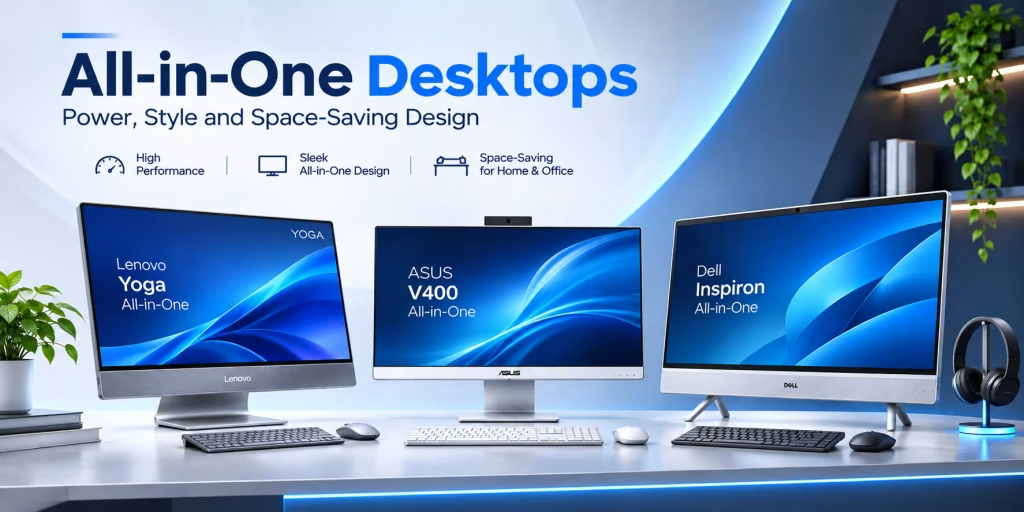
In this 2026 buying guide, we explain what matters when purchasing an All-in-One PC in Lebanon and compare examples from Lenovo, ASUS and Dell available in DSLR Zone’s catalog.
Start by exploring Desktops & All-in-One Computers at DSLR Zone Lebanon.
What Is an All-in-One Computer?
An All-in-One computer (AIO PC) is a desktop system that integrates the main computer hardware into the same enclosure as the display, or into a closely integrated display assembly.
Unlike a traditional desktop tower, an All-in-One PC generally does not require a separate computer case sitting underneath or beside your desk.
Most models include an integrated screen, processor, memory, storage and speakers. Many also feature built-in cameras and microphones, although the exact equipment depends on the model.
Why Choose an All-in-One PC?
- Space-saving design: Fewer separate components on your desk.
- Cleaner workspace: Reduced cable clutter compared with many traditional setups.
- Integrated display: No need to purchase a separate primary monitor.
- Professional appearance: Suitable for offices, reception areas and home workspaces.
- Convenient setup: Many models are supplied with a keyboard and mouse.
- Different display options: Full HD, 4K, touchscreen and OLED configurations are available across the market.
However, All-in-One computers can have more limited upgrade and repair options than conventional desktop towers. That makes choosing the correct configuration from the beginning particularly important.
1. How to Choose the Best All-in-One Computer in Lebanon
The right All-in-One PC depends primarily on how you intend to use it.
A student working on documents and online classes has different requirements from a graphic designer editing large images or a business running demanding applications throughout the day.
For Home and Everyday Use
Prioritize a responsive processor, SSD storage, a comfortable display and sufficient memory for browsing, streaming, documents and video calls.
An entry-level or midrange All-in-One may be sufficient for these tasks.
For Office and Business
Look for dependable multitasking performance, practical connectivity, a suitable operating system and comfortable screen dimensions.
For many office environments, 16GB of RAM and SSD storage offer a useful starting point.
For Graphic Design and Content Creation
Display resolution, color performance, processing power and memory capacity become more important.
A high-resolution 4K or OLED screen may be particularly valuable for compatible visual workflows.
For Demanding Creative Applications
Consider more powerful processors, 32GB or more of RAM where appropriate, fast SSD storage and a dedicated GPU if your software benefits from one.
Always confirm compatibility with your preferred applications before buying.
2. Processor: Intel Core, Core Ultra and Other Options
The processor, or CPU, is one of the most important components in any desktop computer.
It affects how quickly the system can perform calculations, manage applications and handle demanding workloads.
Entry-Level Processors
Entry-level processors can be suitable for basic browsing, email, office documents and other relatively light tasks.
For example, the Lenovo A100 AIO listed in DSLR Zone’s catalog uses an Intel N100 processor, making it an option to consider for lighter everyday workloads.
Midrange Processors
Intel Core 5 and comparable processors can offer a stronger balance of performance and value for general office use, multitasking and business applications.
For example, the ASUS V400 AIO V440VA features an Intel Core 5 210H processor.
Higher-Performance Processors
More powerful Intel Core 7, Core Ultra and other advanced processors can benefit demanding productivity and creative applications.
However, the processor generation, architecture, cooling system and specific model matter more than the product family name alone.
Buying tip: Compare the exact processor model and independent performance tests for the applications you use. Do not assume every newer processor will outperform every older one.
3. RAM: Is 8GB, 16GB or 32GB Better?
RAM affects how comfortably your computer handles multiple applications and active tasks.
| RAM | Typical Use | Recommendation |
|---|---|---|
| 8GB | Basic browsing, documents and light tasks | Consider for limited workloads and budgets |
| 16GB | Office productivity, studying and everyday multitasking | Good starting point for many buyers |
| 32GB | Heavy multitasking, large creative projects and demanding applications | Consider for professional workflows |
These are general guidelines rather than strict requirements.
Some specialized applications need considerably more memory, while lightweight workloads may operate comfortably with less.
Also check whether the RAM is upgradeable. Some All-in-One computers use soldered memory or have limited internal access.
4. SSD Storage: 256GB, 512GB or 1TB?
Modern All-in-One computers commonly use solid-state drives, or SSDs, for the operating system, applications and personal files.
SSDs generally provide faster access to data than traditional mechanical hard drives.
256GB SSD
Can be suitable for basic office work, web applications and users who store most large files elsewhere.
512GB SSD
A practical starting point for many students, businesses and home users who need room for applications and documents.
1TB SSD
Worth considering for users storing large media libraries, design projects, video files or substantial amounts of local data.
Buying tip: Check the type of SSD, available expansion options and how much storage your applications actually require.
5. Display Size: 24-Inch vs 27-Inch vs 32-Inch
One of the biggest advantages of an All-in-One computer is its integrated display.
But screen size alone does not determine display quality.
23.8-Inch and 24-Inch All-in-One PCs
These are practical choices for compact desks, reception counters, classrooms and smaller home offices.
They provide enough space for common productivity tasks without requiring a large workstation.
27-Inch All-in-One PCs
A larger screen can improve comfort when working with spreadsheets, multiple windows or visual applications.
However, check the resolution carefully. A 27-inch Full HD screen will not have the same pixel density as a 27-inch 4K screen.
31.5-Inch and 32-Inch All-in-One PCs
Larger All-in-One computers can be attractive for premium workspaces and creative applications.
For example, the Lenovo Yoga AIO 32IPH11 listed at DSLR Zone features a 31.5-inch 4K OLED display with a 165Hz refresh rate.
Its combination of screen size, resolution and OLED technology makes it particularly interesting for users seeking a premium desktop display experience.
6. Full HD vs 4K vs OLED: Which Display Is Best?
When comparing All-in-One computers in Lebanon, consider resolution, panel technology, color performance and brightness.
Full HD Displays
Full HD resolution (1920 × 1080) is suitable for many everyday office and home tasks.
It is common in more affordable All-in-One systems.
4K Displays
4K displays offer considerably more pixels than Full HD, helping show finer details and sharper content when used at an appropriate screen size.
They can be valuable for photography, design and working with detailed visual material.
OLED Displays
OLED technology can provide excellent contrast and deep blacks because individual pixels emit their own light.
It can be attractive for creative applications and multimedia, although users should also consider long-term image retention risks associated with some OLED usage patterns.
Do You Need a Touchscreen?
Touchscreens can be convenient for interactive presentations, reception desks, education and direct on-screen navigation.
However, touch functionality is not essential for every office or creative workflow.
Compare the value of touchscreen capability against display quality, performance and overall price.
7. Best All-in-One Computer Options to Compare in Lebanon
DSLR Zone lists several All-in-One computers covering different budgets and performance requirements.
The following models illustrate the types of configurations buyers can compare. Product availability and specifications should be confirmed on the individual listings.
Lenovo Yoga AIO 32IPH11 — Premium 4K OLED Experience
The Lenovo Yoga AIO 32IPH11 F0JK0009US is designed for buyers who want a large, high-resolution display and advanced computing performance.
- Intel Core Ultra X7 358H processor.
- 32GB RAM.
- 1TB SSD.
- 31.5-inch 4K OLED display.
- 165Hz refresh rate.
- Intel Arc B390 graphics.
- Windows 11.
Best suited for: Premium home offices, advanced multitasking and compatible creative applications.
Explore Lenovo Yoga AIO 32IPH11 at DSLR Zone.
ASUS V400 AIO V440VA — Compact Touchscreen Office PC
The ASUS V400 AIO V440VA combines a compact 23.8-inch touchscreen with practical everyday performance.
- Intel Core 5 210H processor.
- 16GB DDR5 RAM.
- 512GB NVMe SSD.
- 23.8-inch Full HD touchscreen.
- Integrated Intel graphics.
- Wireless keyboard and mouse included.
- DOS operating system configuration.
Best suited for: Office desks, reception areas, small businesses and everyday productivity.
Important: This listed configuration comes with DOS rather than a preinstalled Windows license. Buyers who require Windows should confirm installation and licensing requirements.
Explore ASUS V400 AIO 23.8-inch at DSLR Zone.
Lenovo ThinkCentre Neo 50a Gen 6 — Business-Focused All-in-One
The Lenovo ThinkCentre Neo 50a-24 Gen 6 is another option to consider for office environments.
The DSLR Zone listing describes a configuration with:
- Intel Core Ultra 5 226V processor.
- 16GB RAM.
- 512GB SSD.
- 23.8-inch Full HD touchscreen.
- Luna Grey finish.
Best suited for: Business productivity, administrative work and professional desks.
Explore Lenovo ThinkCentre Neo 50a Gen 6.
Dell Inspiron 24 — Everyday Productivity and Multitasking
DSLR Zone also lists a Dell Inspiron 24-inch Full HD touchscreen All-in-One with an Intel Core Ultra 7 355 processor, 16GB RAM and a 1TB SSD.
This type of configuration is worth comparing for users who want a balanced desktop with a familiar Windows-oriented productivity workflow.
Best suited for: Home offices, business applications, video meetings and multitasking.
Browse the Desktops & All-in-Ones collection to compare available Dell, Lenovo and ASUS models.
8. All-in-One Computer Comparison Table
Here is a quick comparison of representative models listed in DSLR Zone’s catalog.
| Model | Processor | RAM / Storage | Display | Best Use |
|---|---|---|---|---|
| Lenovo Yoga AIO 32IPH11 | Core Ultra X7 358H | 32GB / 1TB SSD | 31.5″ 4K OLED | Premium creative workspace |
| ASUS V400 V440VA | Core 5 210H | 16GB / 512GB SSD | 23.8″ FHD Touch | Home and office |
| Lenovo ThinkCentre Neo 50a Gen 6 | Core Ultra 5 226V | 16GB / 512GB SSD | 23.8″ FHD Touch | Business productivity |
| Dell Inspiron 24 | Core Ultra 7 355 | 16GB / 1TB SSD | 24″ FHD Touch | Office multitasking |
This table compares specific listed configurations, not every available version of each product family.
9. All-in-One PC vs Traditional Desktop: Which Is Better?
All-in-One computers and traditional desktops serve many of the same purposes, but their designs create different advantages.
| Feature | All-in-One PC | Traditional Desktop Tower |
|---|---|---|
| Desk Space | Usually more compact | Requires separate case and display |
| Display | Integrated | Purchased or selected separately |
| Upgrades | Often limited | Usually more flexible |
| Repairs | Can require specialized servicing | Components often easier to replace |
| Appearance | Integrated, minimalist | Varies by case and monitor |
| High-End Graphics | Available on selected models | More hardware choices |
Choose an All-in-One PC if you value a tidy workspace, integrated display and convenient setup.
Choose a traditional desktop if you prioritize hardware upgrades, specialized components or long-term customization.
DSLR Zone’s Computers collection includes both types, allowing buyers to compare different desktop formats.
10. All-in-One PC vs Laptop: Which Should You Buy?
Both All-in-One computers and laptops can handle everyday productivity, but they are designed around different working environments.
Choose an All-in-One Computer If…
- You mainly work at one desk.
- You prefer a larger integrated screen.
- You do not need battery-powered portability.
- You want a clean workstation with fewer separate components.
- You need a computer for a reception desk or shared office area.
Choose a Laptop If…
- You travel regularly.
- You work from multiple locations.
- You need battery operation during power interruptions.
- You attend meetings or university classes with your computer.
For users who move frequently between home and office, a laptop with an external monitor may offer more flexibility.
For a permanent workstation, an All-in-One PC can be a convenient alternative.
11. Are All-in-One Computers Good for Gaming?
Some All-in-One computers can handle casual games and selected demanding titles, but gaming performance depends heavily on the graphics processor, cooling system, memory and display resolution.
Models using integrated graphics are generally better suited to everyday productivity and lighter gaming workloads.
Selected premium systems include dedicated graphics processors, which can improve performance in compatible games and creative applications.
However, an All-in-One with a high-resolution display is not automatically a high-performance gaming PC.
If gaming is your primary requirement, compare actual graphics performance, sustained cooling and upgrade options against dedicated gaming desktops or laptops.
12. Important Features to Check Before Buying
Before purchasing an All-in-One computer in Lebanon, review the following checklist:
- Processor: Exact model and performance for your applications.
- RAM: Sufficient capacity and upgrade options.
- Storage: SSD capacity, speed and expansion support.
- Display: Size, resolution, panel type and brightness.
- Touchscreen: Whether touch input is actually included.
- Graphics: Integrated or dedicated GPU.
- Ports: USB-A, USB-C, HDMI, Ethernet and audio connections as required.
- Wireless: Wi-Fi and Bluetooth compatibility.
- Camera and Audio: Webcam, microphone and speaker specifications.
- Operating System: Windows included, DOS or another configuration.
- Accessories: Keyboard, mouse and power adapter.
- Warranty: Applicable local coverage and service terms.
Important Consideration for Lebanon: Power Protection
Before setting up a desktop computer, consider the reliability and stability of the electrical supply at your location.
A properly selected UPS can provide temporary backup power and help users save work during an interruption.
UPS compatibility depends on the computer’s power requirements, connected equipment and the backup duration needed.
Do not assume every UPS will support every computer or provide the same runtime.
13. Common Mistakes When Buying an All-in-One PC
- Choosing by screen size alone: Resolution and panel quality also matter.
- Ignoring RAM requirements: Limited memory may affect future workloads.
- Buying insufficient storage: Large files can quickly fill smaller SSDs.
- Assuming every screen is touch-enabled: Touch support depends on the configuration.
- Ignoring the operating system: DOS models may require separate Windows installation and licensing.
- Assuming upgrades are easy: Some All-in-One computers have restricted internal access.
- Overlooking connectivity: Check external display, USB and network requirements.
- Choosing only by price: Consider the display, performance, warranty and long-term suitability.
14. Where to Buy All-in-One Computers in Lebanon
DSLR Zone offers a selection of All-in-One computers and traditional desktops from brands including Lenovo, ASUS and Dell.
Customers can compare models for different requirements, from everyday office productivity to premium high-resolution workstations.
When reviewing a product, check its exact specifications, current price, availability and included accessories.
Explore the Lenovo collection at DSLR Zone for additional Lenovo computing options.
You can also visit the DSLR Zone online shop to browse related electronics and computer accessories.
Frequently Asked Questions About All-in-One Computers
What is an All-in-One computer?
An All-in-One computer integrates the main computing hardware and display into one system, reducing the need for a separate desktop tower.
Are All-in-One computers good for office work?
Yes. Many All-in-One PCs are suitable for office applications, video meetings, spreadsheets, business software and everyday multitasking. The appropriate configuration depends on the workload.
How much RAM do I need for an All-in-One PC?
For many office and home users, 16GB is a useful starting point. Basic tasks may require less, while demanding creative applications may benefit from 32GB or more.
Is an All-in-One computer better than a laptop?
An All-in-One PC can be better for a permanent desk setup and a larger integrated display. A laptop is generally more suitable when portability and battery-powered operation are important.
Can I upgrade an All-in-One computer?
Upgrade options vary by model. Some systems allow storage or memory upgrades, while others have soldered components or limited internal access. Always verify the manufacturer’s specifications.
Is a 24-inch or 27-inch All-in-One better?
A 24-inch display is often practical for compact workspaces. A 27-inch display provides more physical screen area, but resolution, viewing distance and desk space should also influence your decision.
Are All-in-One computers suitable for graphic design?
Yes, selected models with capable processors, sufficient RAM and high-quality displays can be suitable for graphic design. Professional users should evaluate color accuracy, application requirements and graphics performance.
Do All-in-One PCs come with Windows?
Not always. Some models include Windows, while others are sold with DOS or without a licensed Windows installation. Check the exact configuration before purchasing.
Which All-in-One computer brands are available in Lebanon?
DSLR Zone lists All-in-One computers from brands including Lenovo, ASUS and Dell. Available models and configurations change over time.
Where can I buy an All-in-One computer in Lebanon?
You can browse All-in-One computers and traditional desktops through DSLR Zone’s online store. Check the product pages for current prices, stock information and delivery options.
Final Verdict: Choosing the Best All-in-One Computer in Lebanon
The best All-in-One computer is not necessarily the one with the largest screen or the most expensive processor.
The right choice depends on your workspace, applications, budget and long-term requirements.
For everyday home use: Prioritize a responsive processor, SSD storage and a comfortable display.
For business and office use: Look for dependable multitasking, practical connectivity and a suitable operating system.
For design and creative work: Consider a high-resolution display, sufficient RAM and stronger graphics capabilities.
For premium workstations: Compare larger 4K or OLED All-in-One systems with the performance and connectivity your workflow requires.
Whether you are comparing Lenovo, ASUS or Dell, focus on the complete configuration rather than a single specification.
Ready to upgrade your workspace? Explore All-in-One Computers and Desktop PCs at DSLR Zone Lebanon to compare available models and find the right system for your needs.